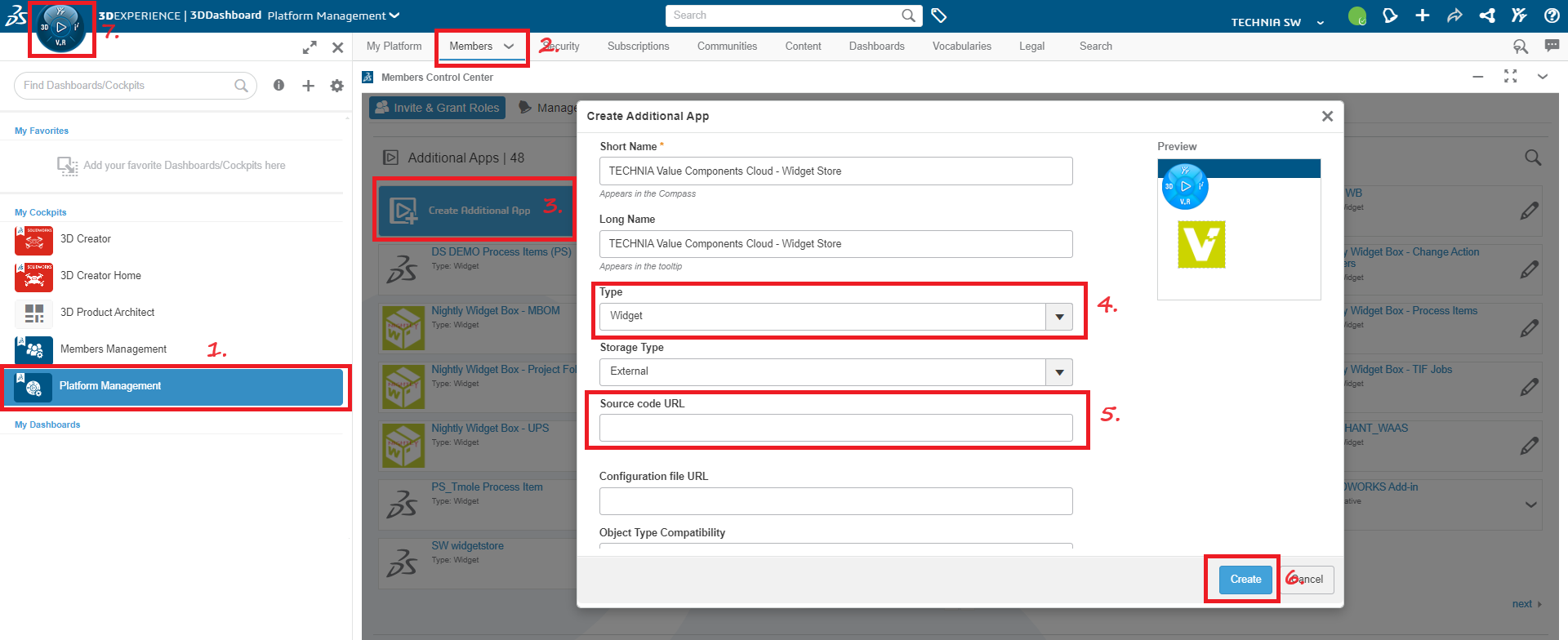
Add Widget to 3DDashboard
1. Login to 3DDashboard as admin and click on "Platform Management"
2. Click on "Members" tab
3. Click on "Create Additional App"
4. Change the field "Type" to "Widget"
5. Copy link and Paste URL in "Source Code URL"
6. Click on "Create"
7. Now widget should be searchable by clicking on the Compass
Copy Link