Administration
Deployment & administration
This chapter cover deployment & administration only, learn more about the configuration in Widget configuration.
Admin UI
Today TECHNIA manage widget admin for you. The admin UI will soon be available for customers to manage some of the setup themselves.
TECHNIA does the following for you today from the admin UI.
- Widget registration
- Create new widgets
- Register widget access with 3DEXPERIENCE
app-id - Setup
config edit access tokens
- Subscription detail
- Trial / full
- Renewal (due-date)
- User count
- Subscription audit
- Measure use
Widget Development
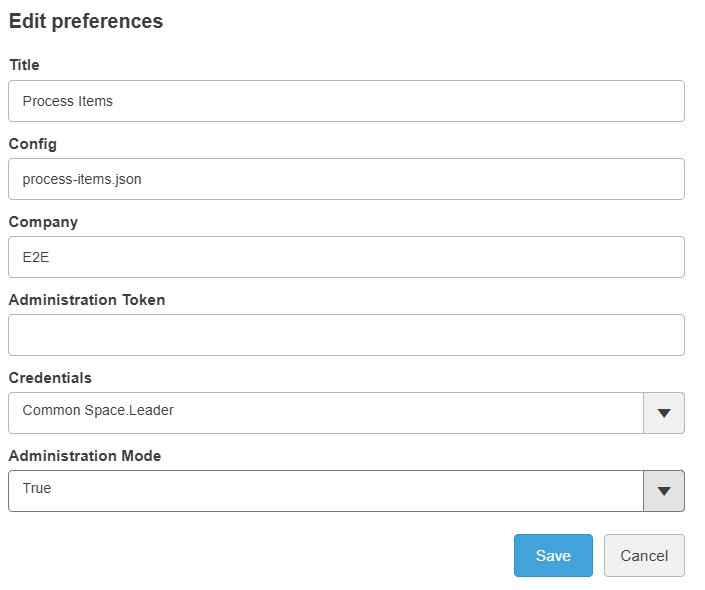
Widgets are developed using the in widget configuration editor. To enable development go to preference select Administration Mode true. Dev mode directly give access to make local changes. To allow saving changes to the server a Administration Token must be entered.
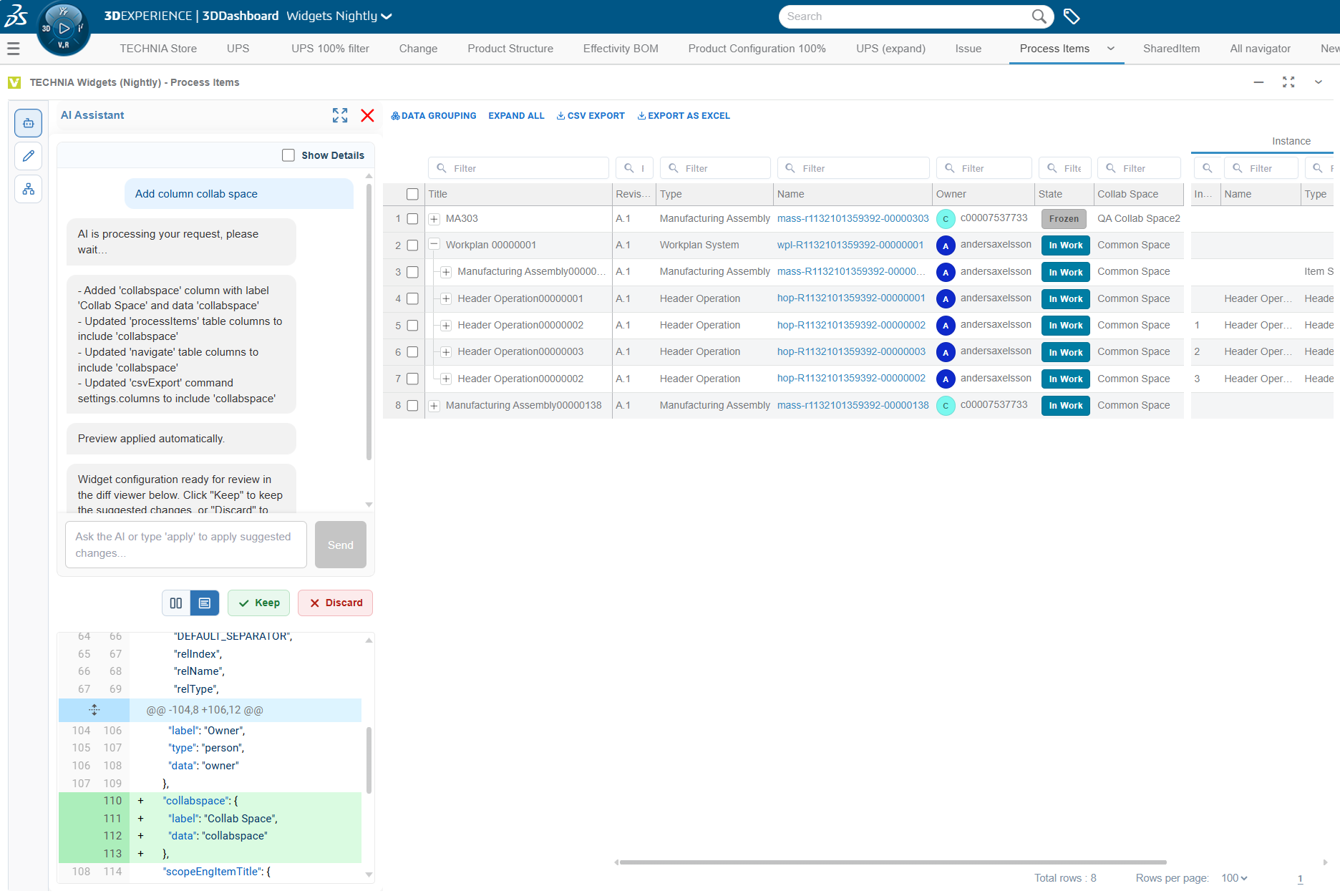
AI Assistant
Not yet an expert on the configuraton format? The built in AI assistant could do the work for you. You are still in control, will preview, make final adjustments and decide when to save the configuration.
Client information shared with AI
- User message
- Ontology / information model of the data loaded into the graph (a summary of the types, the realtionships and the available attributes, not the values)
Additional information and tools used by AI to enable efficient configuration
- Configuration schema
- Common configurations (e.g. preconfigured services such as dsapi-*)
- Extension merging
- Reference validation
- JSONata configuration tool
Filling the graph by expanding tables etc as much as possible before asking AI helps building a rich information model and can help improve the experience.
Configuration Editor
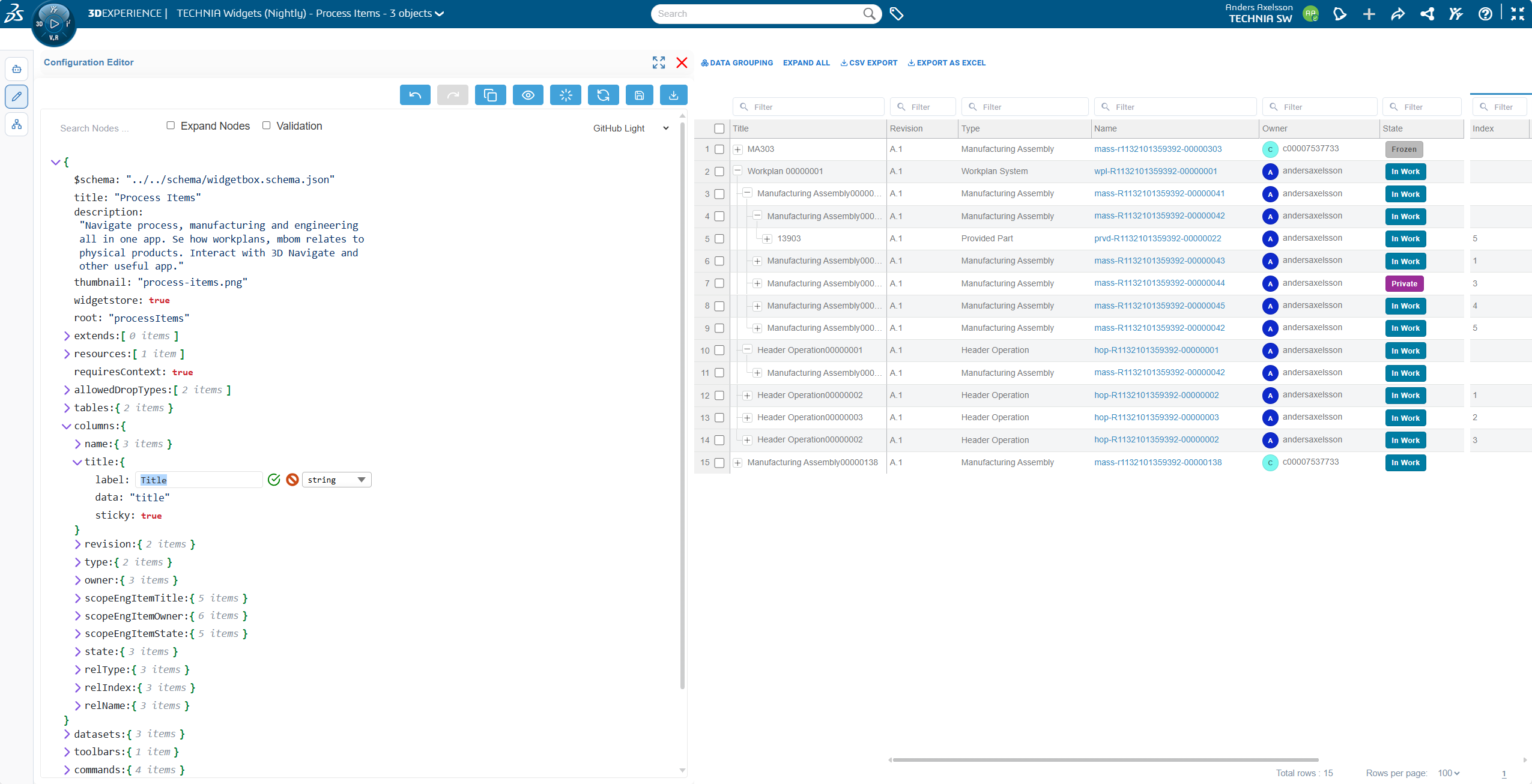
The config editor allow administrators to modify widget definitions. You can modify individual values or edit the root node to replace the full definition (useful if you prefer using an external IDE).
Preview configuration change
- Apply the change by clicking the green checkbox next to the modified field :check_mark:
- Click preview
Reset from server
Discard you local changes.
Save to server
Updates the definition. Each configuration version is stored individually and it is possible to revert (today ask TECHNIA but planned to be added in studio). You must enter a valid Config Edit Access Token for save access.
Immediately effective to other users. Use a separate widget for a controlled development and test process.
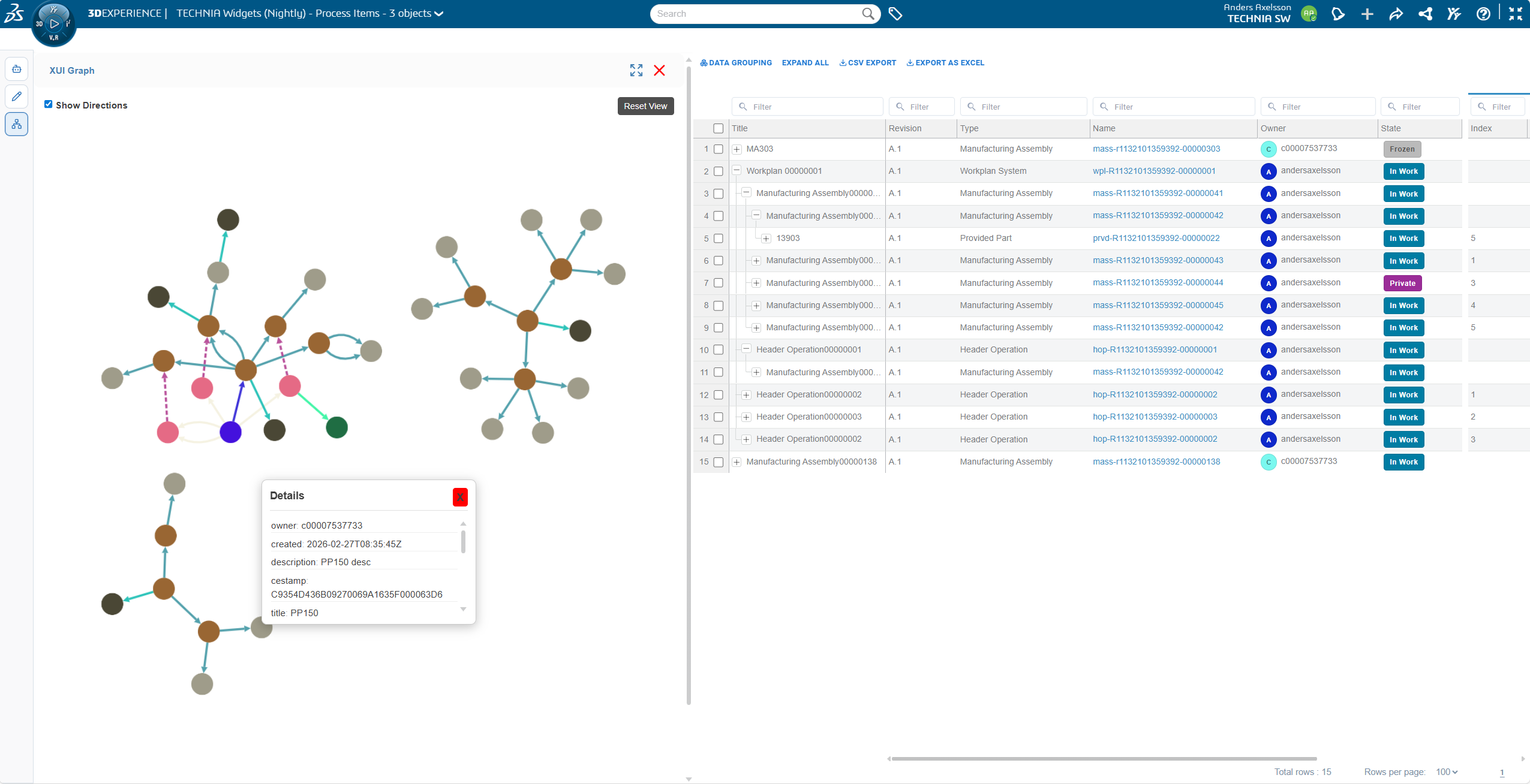
Graph Visualization
The visual graph is a useful development tool to understand how and when data is loaded into widget memory. To understand the graph concepts see Technical overview
Show directions
Checking detailed graph preference could help understand how nodes are connected but there is a performance penalty, especially noticeable with larger graphs.
Data preview
Clicking an element in the graph brings up a data preview card. Data can be copied into clipboard.
Resource deployment
TECHNIA can help you deploy custom resources e.g. Extending with plugin code in a controlled way with your account.