Configuration
Widget
A top level configuration defining a 3DDASHBOARD widget app that could be added to the compass.
| Overview | Structure |
|---|---|
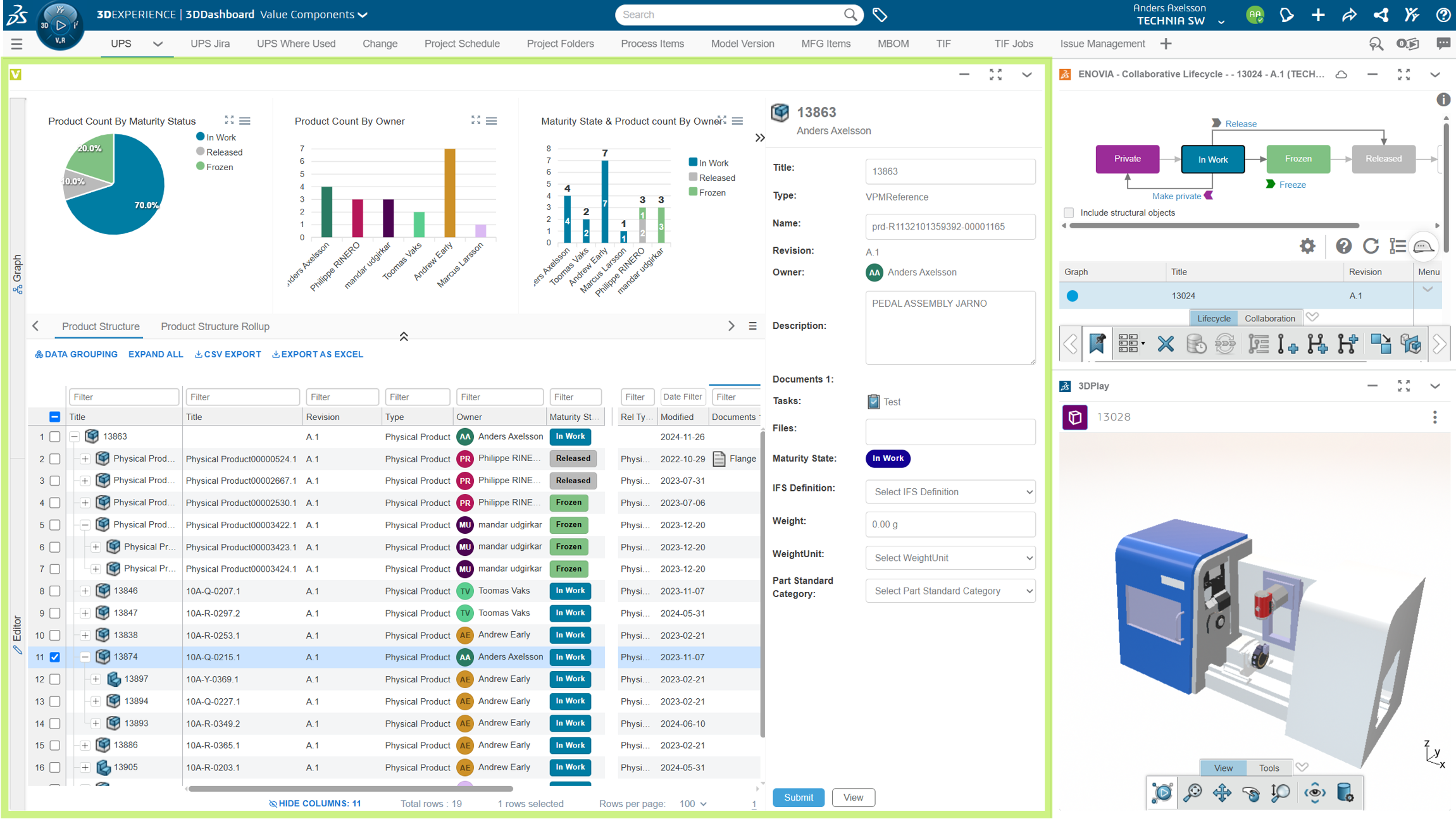 | 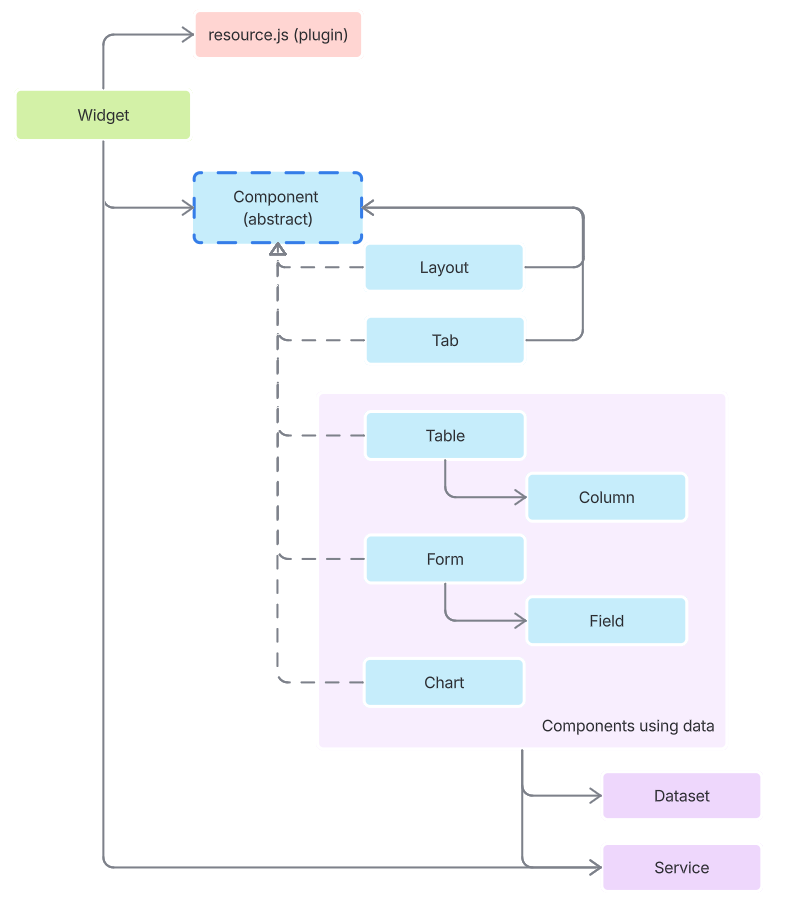 |
Widget properties
| Prop Name | Description | Data Type | Required | Example |
|---|---|---|---|---|
columns | Table column definitions. Columns | object | no | "columns": { "title": { "label": "Title", "data": "title" } } |
commands | Command definitions. Commands | object | no | "commands": { "csvExport" : { "type": "export", "label": "CSV Export", "settings": { "columns": [ "title", "description" ], "excludeHiddenColumn": true } } } |
defaultServiceParams | This is used for support caching. Services | object | no | "defaultServiceParams": { "enableCache": false, "cacheTimelimit": 1 } |
description | Visible in admin UI widget list | string | no | |
datasets | Dataset definitions. Used to load data rom the graph into components (e.g. to a table) Data sets | object | no | "datasets": { "ups-roots-example": { "type": "expand", "edgeStatement": "[type='VPMInstance']", "nodeStatement": "[type='VPMReference']" } } |
extends | Inherits from other configs to reuse common definitions. | array string | no | "extends" : ["dsapi-dseng.json", "presets.json"] |
fields | Form field definitions Fields | object | no | "fields": { "title" : { "label": "Title", "data": "title", "type": "text" } } |
forms | Form definitions Forms | object | no | |
layouts | ||||
notifications | Notification appearance. Notifications | object | no | "notifications": { "colors": { "error": "#4a5568" } } |
resources | Load additional resources for additional functionality. | array string | no | ["plugin.js", "excelReport.js"] |
requiresContext | Contextual widgets requires an object to be dropped and initially renders a drop zone. | boolean | no | |
root | The main component (e.g. a layout, table, form) | string | yes | |
services | Service definitions used to retrieve data Services | object | no | "services": { "changeAction" : { "uri": "/resources/v1/modeler/dslc/changeaction/{{contextId}}", "transformer": { "name": "corpusgeneric", "inputs": { "identifier": ["id"] } } } } |
tables | Table definitions Tables | object | no | "tables": { "myTable" : { "datasets": [ "contextNode" ], "columns": [ "title", "state" ] } } |
tabs | ||||
title | Widget name displayed in the UI | string | yes | |
toolbars | Toolbar definitions Toolbars | object | no | |
preferences | Widget preference definitions. Each preference creates a user-editable field in the widget preferences panel. Values can be injected anywhere in the config using {{pref.<name>}} macros. Preference macros | array object | no | "preferences": [{ "type": "text", "name": "promote-state", "label": "Promote To State" }] |
{
    "$schema": "https://widgets.technia.cloud/schema.json",
    "title": "",
    "description" : ""
    "root" : "",
    "requiresContext": true,
    "resources": [],
    "extends": [],
    "preferences": [],
    "tables" : {},
    "forms" : {},
    "layouts" : {},
    "notifications": {},
    "tabs" : {},
    "charts" : {},
    "columns": {},
    "fields": {},
    "datasets": {},
    "toolbars": {},
    "commands": {},
    "services": {}
}
Notifications
Notification colours are configurable per type through the top level notifications.colors object. Every type keeps
its default colour unless you override it, so only list the ones you want to change.
| Prop Name | Description | Data Type | Required | Default |
|---|---|---|---|---|
colors.error | Colour of error notifications | string object | no | red gradient |
colors.warning | Colour of warning notifications | string object | no | orange gradient |
colors.info | Colour of info notifications | string object | no | blue gradient |
colors.success | Colour of success notifications | string object | no | green gradient |
Each entry is either:
- a string — any valid CSS
backgroundvalue (hex,rgb(),linear-gradient(...)), used as the notification background, or - an object
{ "background": ..., "color": ... }, wherecoloralso sets the text, icon, close button and progress bar. Use it when the background is light enough that the default white text would be unreadable.
{
    "notifications": {
        "colors": {
            "error": "#4a5568",
            "warning": { "background": "#fff8e1", "color": "#7a4f01" }
        }
    }
}
colors.error also covers the standalone alert used for errors raised outside a component — widget load
failures, unhandled errors, and invalid context drops — so one setting covers every error surface.
Colours accept {{pref.<name>}} macros, so they can be exposed as user-editable widget
preferences:
{
    "preferences": [{ "type": "text", "name": "error-color", "label": "Error Notification Color" }],
    "notifications": { "colors": { "error": "{{pref.error-color}}" } }
}